Docs
Calendar
The year, day by day — where bookings are painted rather than typed.
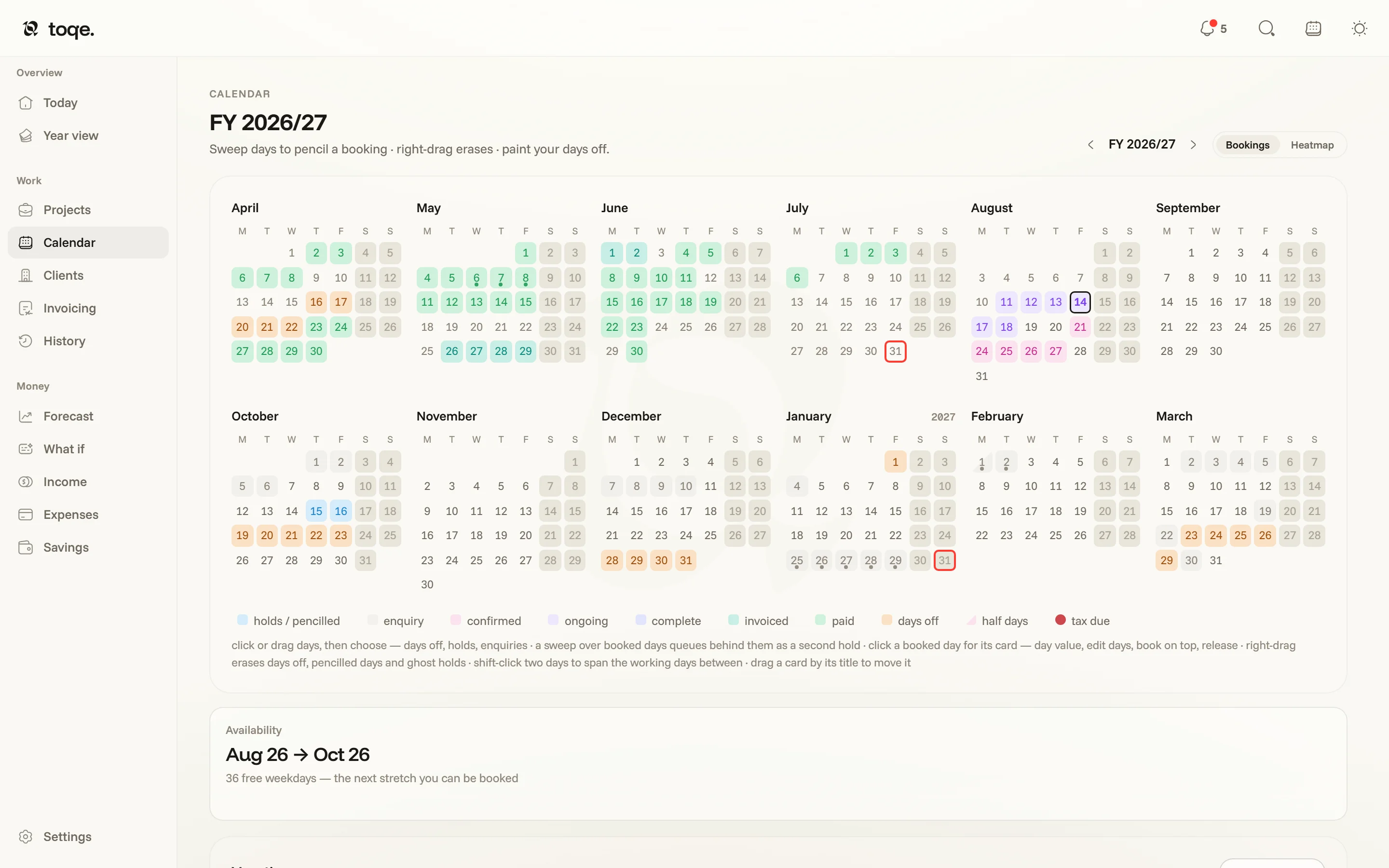
Painting
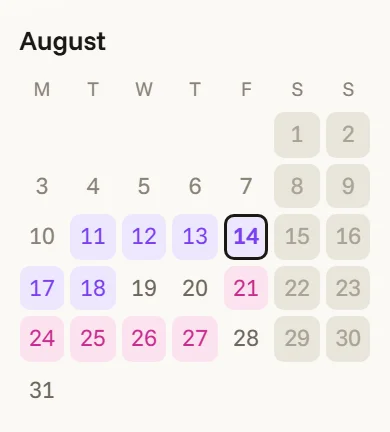
Sweep across free days and choose what they become — a booking, a hold, an enquiry, or days off. A sweep over already-booked days queues behind them as a second hold. Click a booked day for its card — the day’s value, the project’s status and its Invoicing pill, edit days, book on top, release. Right-drag erases days off, pencilled days and ghost holds; shift-click two days to fill the working days between; drag a card by its title to move the whole booking.
A hold or enquiry swept over a Saturday or Sunday doesn’t book the weekend: the button reads Pencil the weekend · unbilled, the row lands on the pipeline, and the weekend cells stay grey. Marking a weekend worked is only ever a deliberate click on the day itself.
Painting the past is fine — recording the week you took off last month is exactly what back-fill is for. Past booked days answer differently: clicking one opens its card rather than sweeping it into something new.
What the colours say
Booked days wear their project’s status colour — the same pigments as everywhere else. Days off are one amber, wherever they appear. Half days split diagonally. Tax deadlines dot the day they fall on. This is the calendar’s own legend:
In the app it’s live from your own colour scheme — hover a kind and the rest of the year fades away — and a Heatmap toggle swaps the year to intensity: where the work actually piled up. Two of the chips read the money rather than the ladder: invoiced lights the days of any job that has been billed in part or in full, and complete the days of one that’s finished and paid.
Days off, and what they deduct
A day off pulls itself out of every live booking that crosses it — book three weeks, paint two days off, and the fee is 13 days without touching the project. Two boundaries keep that honest: a settled fee (a Complete project, or one with a paid-on date) ignores later days off, and when a day you’re painting off is already on a sent invoice, the card says so before you commit. A day off recorded on the booking itself (an unpainted weekday inside its span) belongs to that booking alone — another job can still work that day.
Around the grid
The Availability card names your next free stretch — the answer to “when can you fit us in”. A Vacations panel lists entries (each opens the vacation card). And the calendar follows you everywhere: the topbar’s calendar button opens a compact rail beside whatever page you’re on, with the same painting gestures intact.
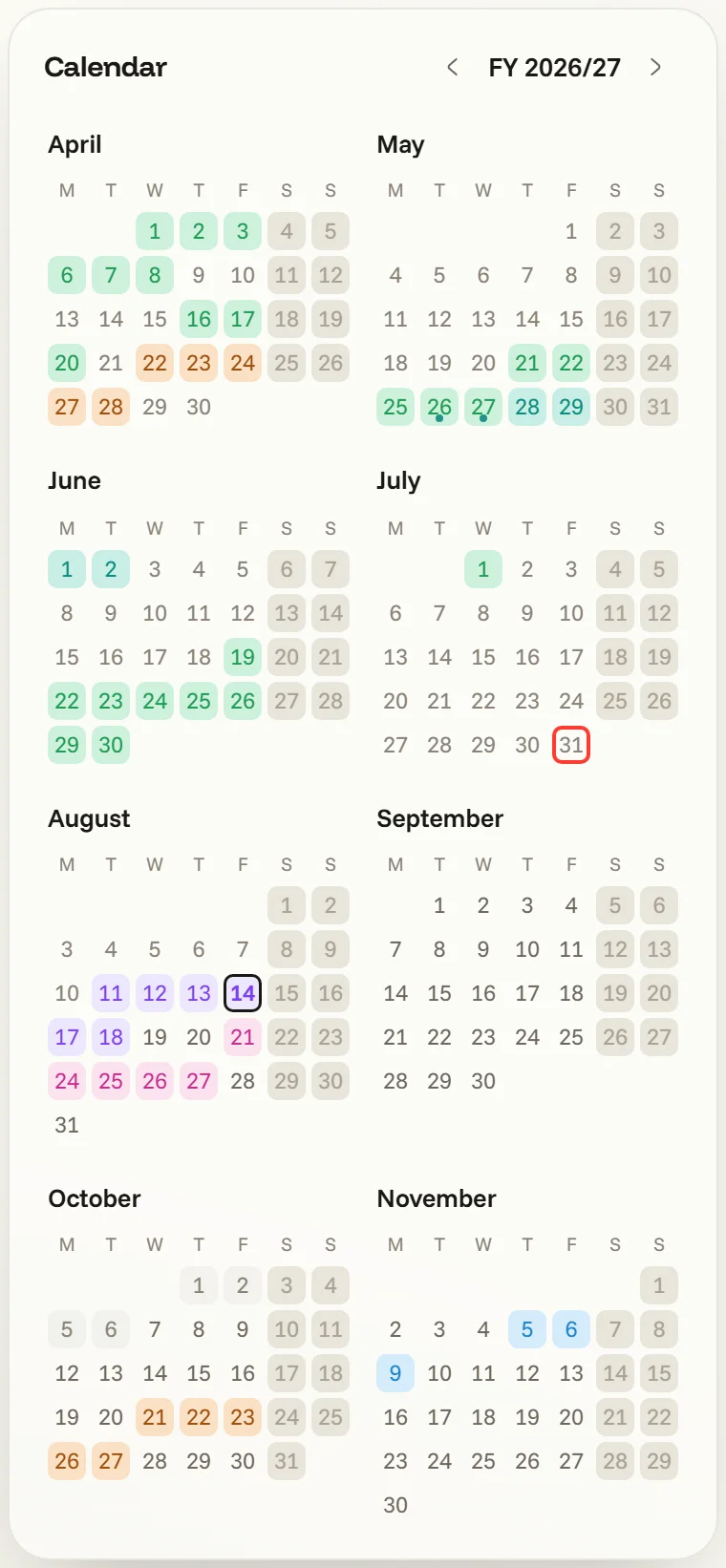
Your Google Calendar can ride along, read-only: its events show as dots on the calendar, with the day’s list on hover. Connecting a Google account lives under Settings → Experimental while Google finishes verifying toqe.