Docs
Year view
The year as a record — twelve months, four numbers each, and a goal to pace against.
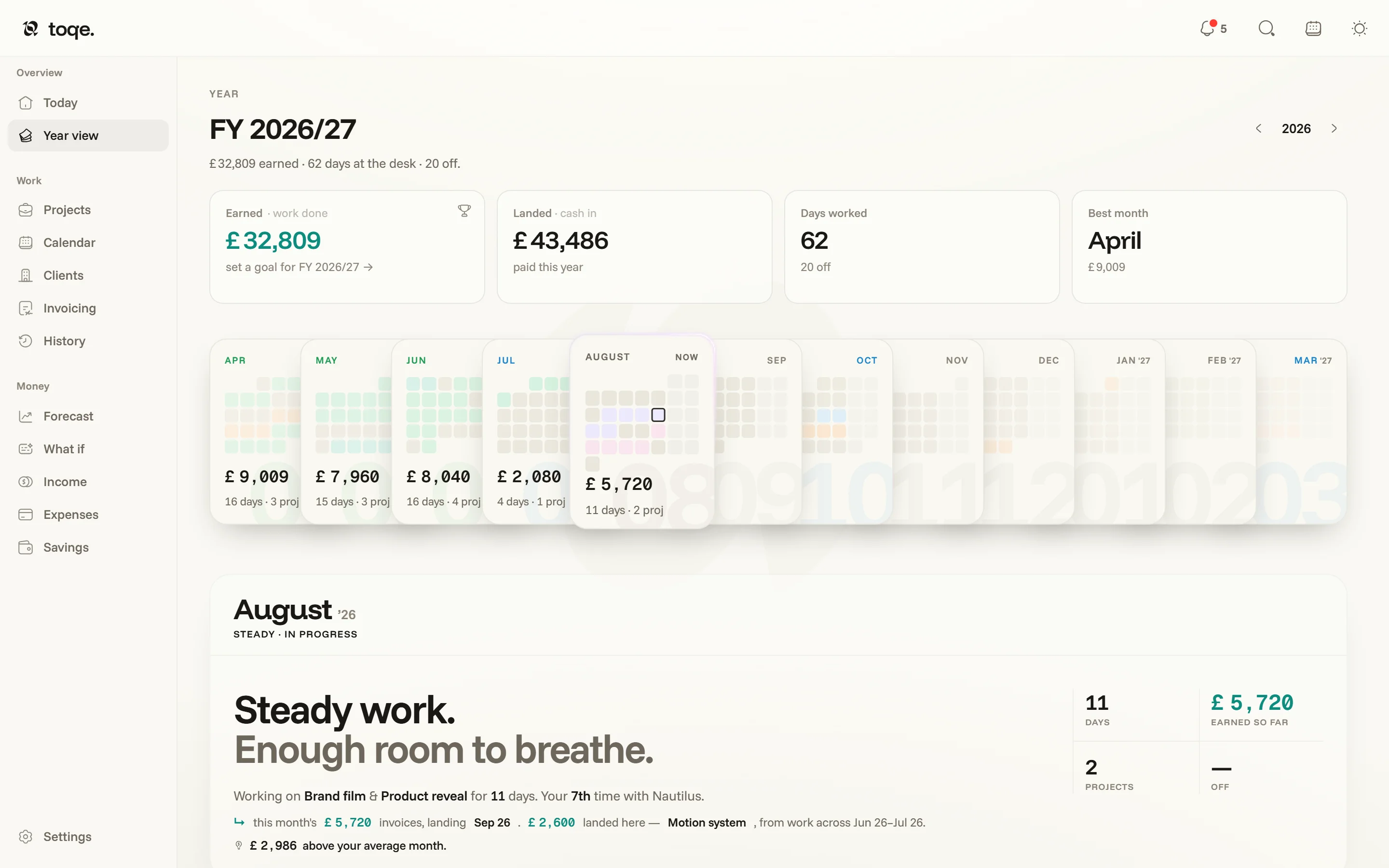
One year frame, everywhere
toqe runs on your fiscal year (Settings → Taxes) app-wide. On a UK document the year opens in April and the page says FY 2026/27 — the deck runs Apr → Mar, and the same frame drives Income, Expenses, Taxes, Invoicing, History and the tax schedule, so no two pages ever mean different things by “this year”. The stepper in the corner walks between years.
Step to another year and the page becomes that year’s: its headline, chart, cards and lists all answer for the year shown, while a fact about now — your balance, the tax pot — still says now. A banner under the heading names the year you’re reading, with a button straight back to this one, and the page’s headings and borders take a violet tint (blue for a year ahead), so another year never passes for this one.
The cards and the deck
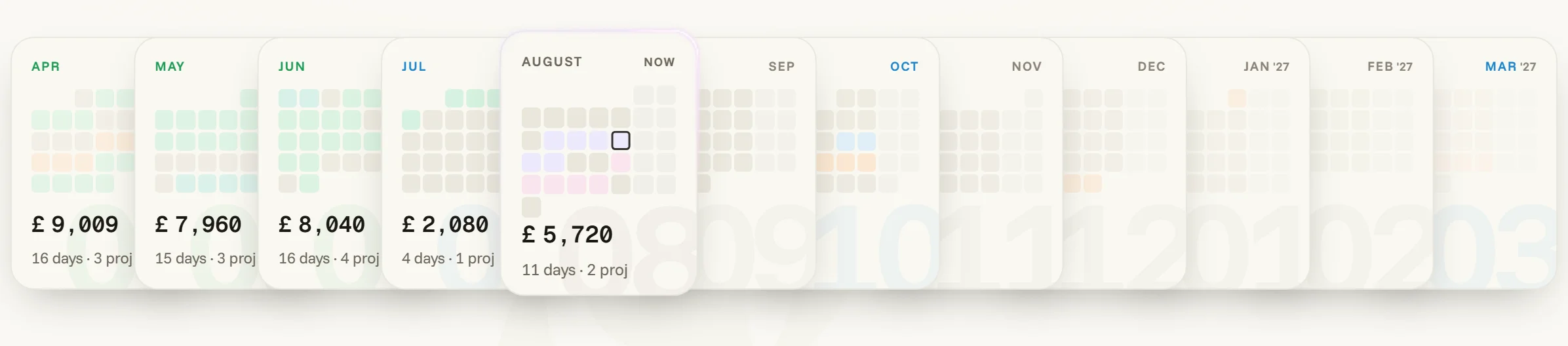
Four cards head the page: Earned (work done, whether or not the cash has landed), Landed (cash in — paid so far, with what’s still to come named beside it), Days worked with days off beside it, and the best month. Two of them are doors: Landed opens Income, Days worked opens the Calendar — each on the year you were reading. The deck below is the month selector — each card a mini calendar wearing the same status colours as everything else, with the month’s take and days underneath. Click a month and the panel below tells its story: a mode (steady, all-in, open …), a prose verdict, the numbers, and where its invoices landed.
Settings → Experimental can add a fifth card: Kept — earned minus spent — with each month showing what it cost beside what it earned. Settings has the switch.
Goals
Each fiscal year can carry an income goal and a days-off goal. Pace is measured against the fraction of the year actually lived — ahead is ahead, not just “on track by December” — and the same maths shows up on Income’s masthead.
Time off
Vacations are entries with a name and a painted day set, edited in one place (the vacation card — from here, from the Calendar’s panel, or from a History row). An entry is a vacation; days painted off without one are just days off. Both deduct from live bookings; only entries get a row in History’s ledger.