Docs
Today
Where the day starts: what’s true right now, and the short list of things that want an answer.
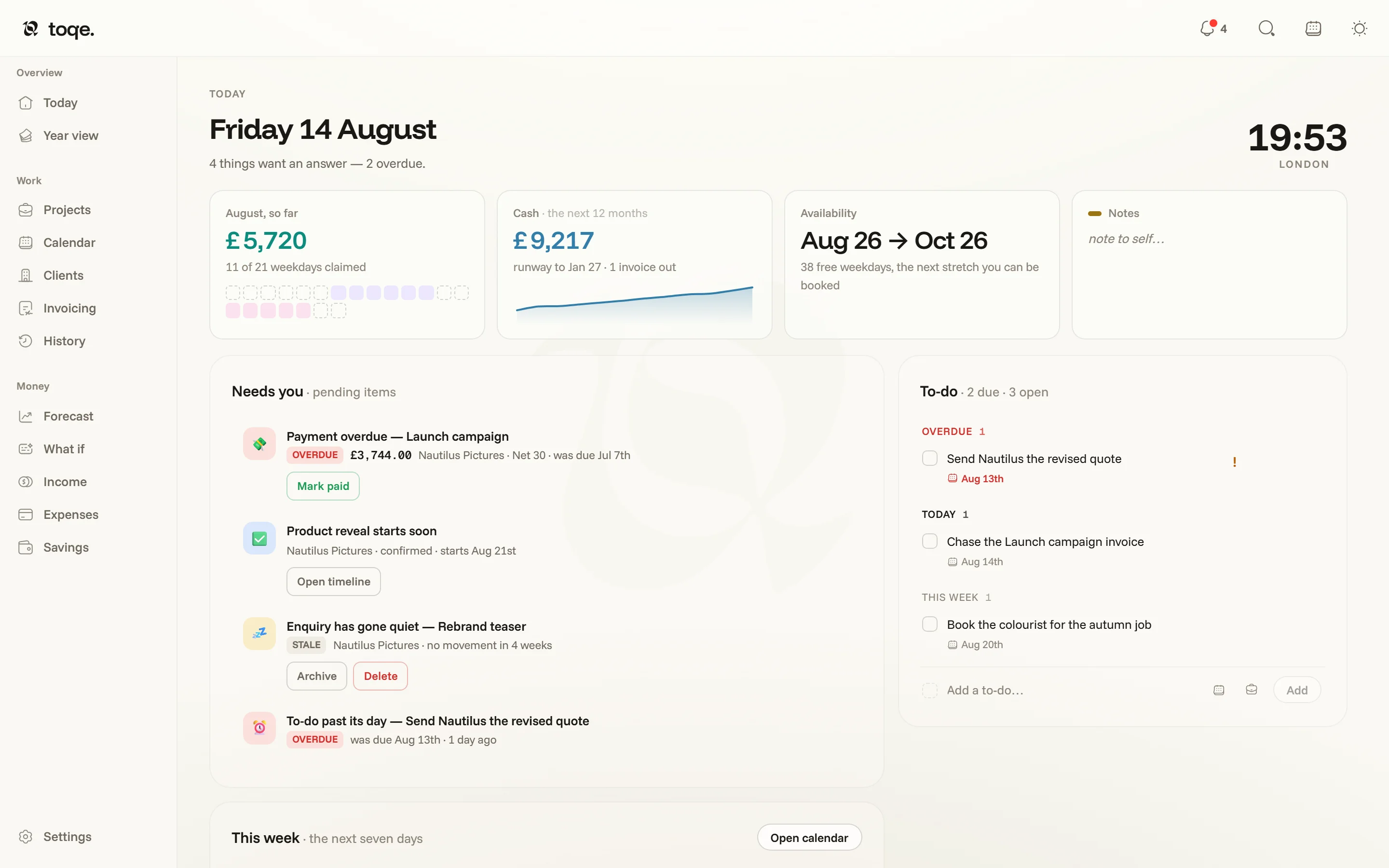
The headline
The date, and one sentence of state — “4 things want an answer — 2 overdue.” The corner is a clock cluster: your time (from the machine, never stored) with up to two other places behind it. Click the cluster to choose the places; pick a city and it sets the zone and the label in one go.
The widget row

Four seats, each swappable — hover a card and the ⌄ offers the rest: Month so far (what the month has earned, and how many of its weekdays are booked), Cash (the next 12 months as a line, with the runway date and invoices out), Availability (your earliest free stretch), Charts (a small chart of income, spending or your balance — the chip in its corner cycles them), At the desk (a day timer that logs hours onto a job) and Focus (25-minute sprints, then five off). Your picks travel with the document, so both machines lay the row out the same way.
Needs you
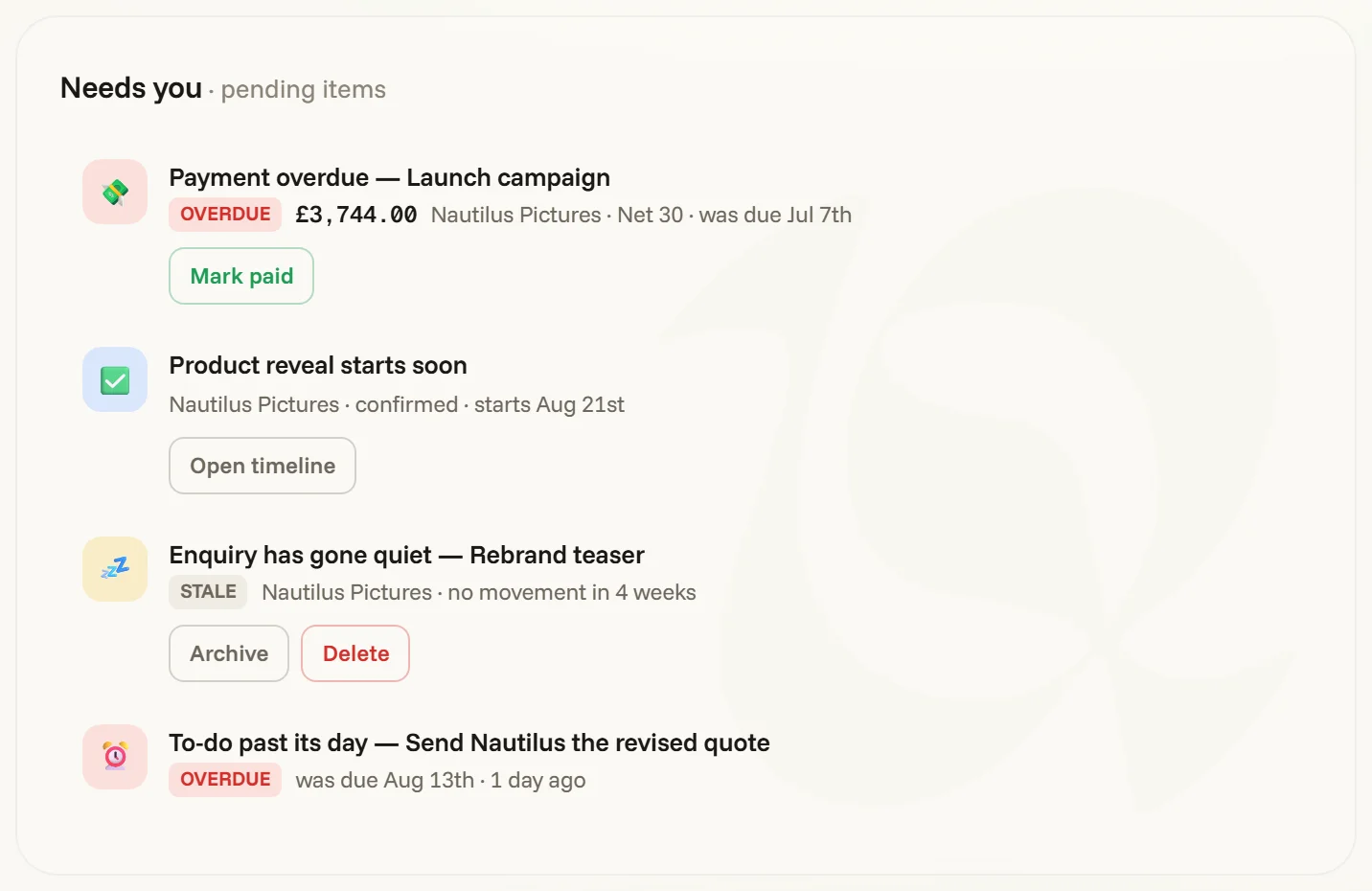
The attention engine’s action items — the same rows as the bell () in the top bar, with the same controls. Each carries its own answer: an overdue invoice offers Mark paid, a booking starting soon offers its timeline, an enquiry that’s gone quiet offers Archive. The clock icon snoozes, the × dismisses; both are remembered, and an item only returns if the facts behind it change. When the list is empty, the page says so and means it: nothing needs you.
The note cards
Beside Needs you sits a small pack of index cards, one tab each. The To-do card is your running list: each line can carry a due date and a linked project (the project button wears the job’s own status colour), and priority is a typed mark that cycles — nothing → ! → !! — sorting within its band. A to-do past its date doesn’t just sit there: it raises its own line in Needs you.
The other tabs are cards for your projects, each in its own colour; the card for a job you’re on today comes to the front by itself. Click a circle to finish a line; right-click it to mark it important, then urgent; drag a circle to reorder, and Tab indents. The + at the head of the tabs starts a card — blank, or for a project — and a crowded strip folds the other tabs down to an emoji or a few letters. Drag a tab to reorder it; right-click it to rename, archive or close it. The arrow in the card’s corner lifts it into a small window of its own that floats above whatever you’re working in.
All notes lays every card over the window at once — the live ones, what you’ve filed, what’s deleted, and the lot grouped by client. A closed card waits in Deleted for thirty days before it’s gone for good. Settings → Appearance can move the tabs from down the card’s side to across its top.
This week
Under Needs you, the week strip shows the next seven days — booked days, holds, deadlines — with the calendar one click away, and names your next open window.
The bell in the top bar counts only actions — things with an answer. Insights (patterns worth knowing, nothing to click) ride behind them and never count toward the badge.