Docs
Projects
Every job, from the first email to the money landing — one ladder, three views, one card.
The ladder
Cancelled and Archived sit outside the ladder — off the pipeline and the calendar, kept forever in History. The last rung is earned from both axes at once: mark a job Finished and, if its money is already in, it lands on Complete in the same click; otherwise it waits at Finished and steps up on its own the day its last invoice is paid. Move a job to Complete by hand with invoices still open and toqe asks the honest question — mark them paid too, or go and look at them on Invoicing. Money in before the work is done stays where the work is, reading Paid in the Invoicing column.
Where the money is
The ladder says where the work is. Where the money is rides beside it in the Invoicing column, read off the invoices themselves and never picked by hand: Not invoiced, Part invoiced (a deposit is out, the rest is not — with the figures, “£1,040 of £3,120”), Invoiced, Paid — with the payment clock on top, so a late invoice reads Overdue 5d wherever the project appears. A job can be Ongoing and half-invoiced, or Confirmed and already paid, and both facts show.
Invoiced and Part invoiced draw as an outline — a coloured label and a border, no fill — and Paid keeps a solid fill, in the settled-invoice teal, so money asked-for and money landed never wear the same weight. Green belongs to Complete alone. The same pill appears on the project card beside the status, on the calendar’s day card and in History — and on a pipeline row it’s a door: click it and Invoicing opens on that project.
The timeline
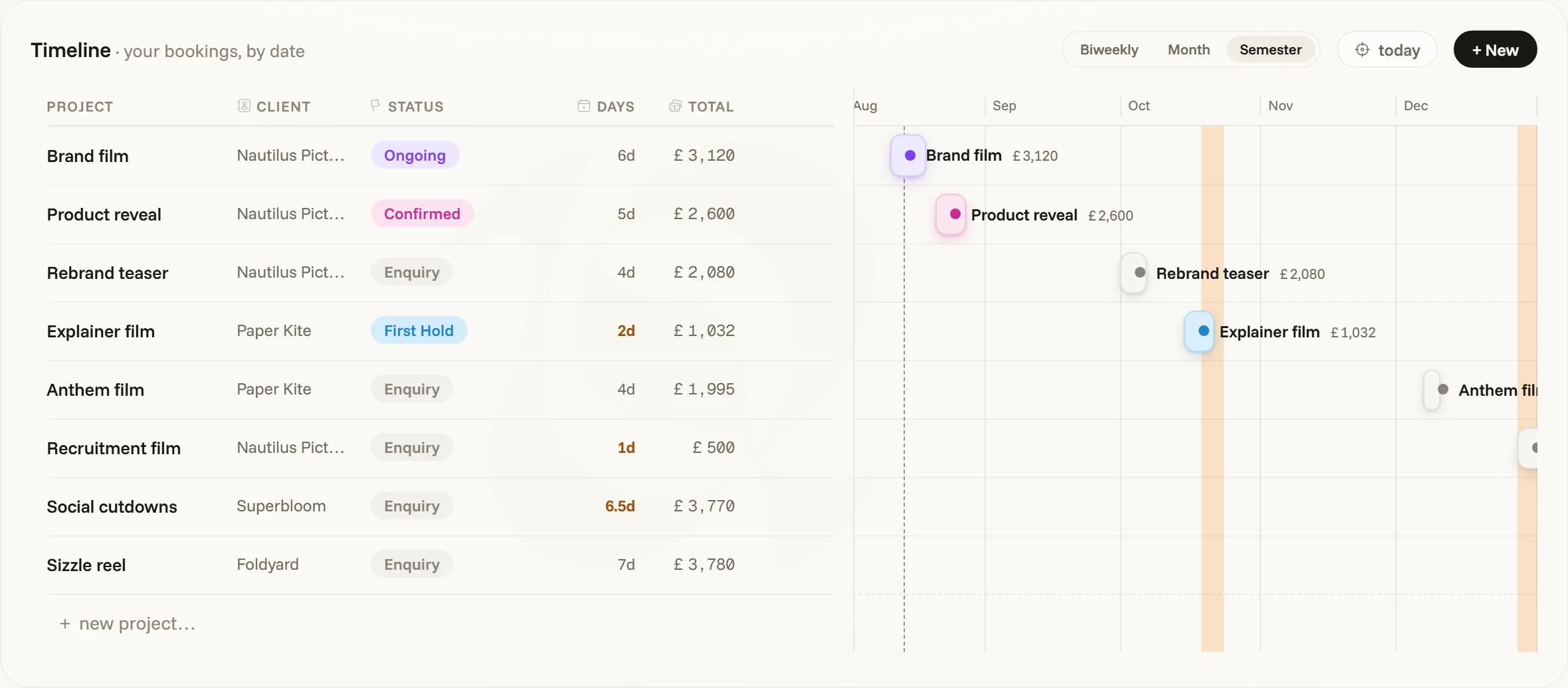
The diary of work still ahead of you or in hand: enquiries, holds, Confirmed and Ongoing draw as bars, by date, at three zooms (biweekly · month · semester). Finished and Complete jobs have happened and belong to the pipeline’s own bands and to History, so they leave the diary; cancelled and archived work never draws. Billing decides nothing here — send a deposit on a job that’s still running and it stays exactly where it is.
Drag a bar to shift a whole booking — days, half days and worked weekends all move with it, one undoable move. Vacations ride the same lanes as amber bars (a step apart from the day-off column beneath, with their own hairline), their side rows wearing the Vacation pill. The side columns are a table in their own right: sortable, resizable, with a fit chip that sizes every column to its content. Sketching a booking by dragging on the empty track opens its card straight away — and Cancel or Escape there deletes it again, rather than leaving a bar across the days you dragged.
The pipeline, and the board
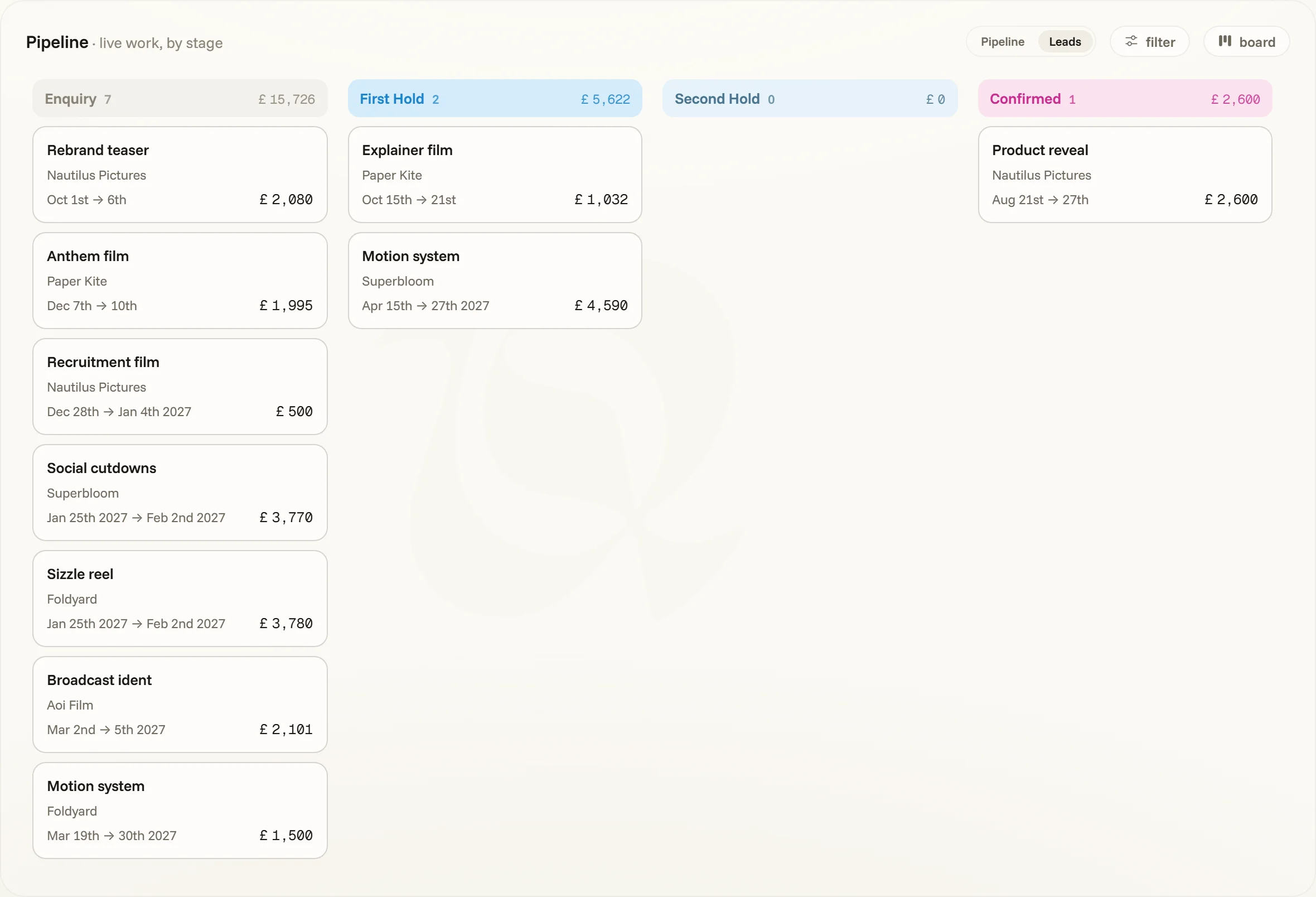
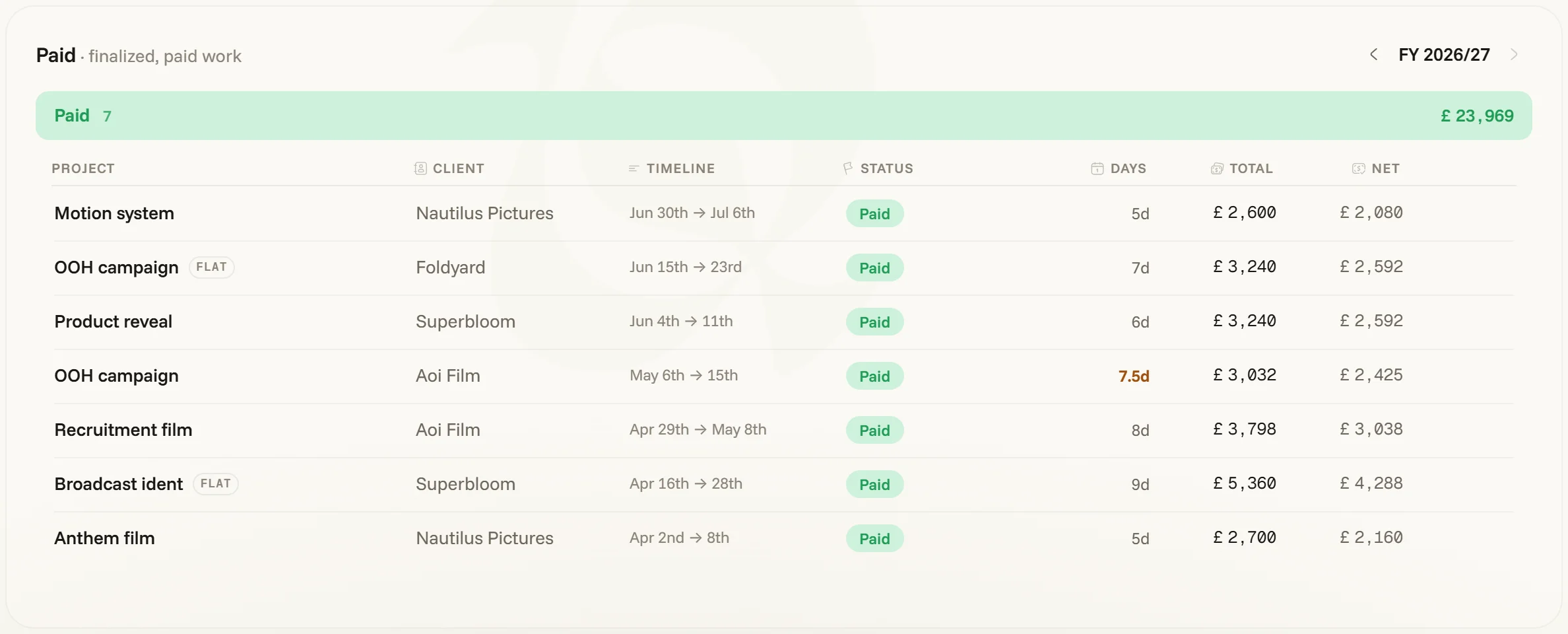
The pipeline groups firm work — Confirmed, Ongoing and Finished — by rung, each band summing what it holds, with fit, filter and column controls on the panel head. The view chip beside them cycles three ways to read it: groups (those bands), list (every live job, enquiries and holds included, in one flat sortable run) and board — a kanban with its own switch between Pipeline and Leads (enquiries and both holds, with Confirmed as the just-won tail). On the board the projects are cards you drag between stages; once a job has been invoiced, its card wears the Invoicing pill in its top-right corner, and clicking it opens that project on Invoicing. Under the pipeline sits the Complete band, one fiscal year at a time: the moment a job is both done and paid lands somewhere visible, and dropping a row on it is a way to say so.
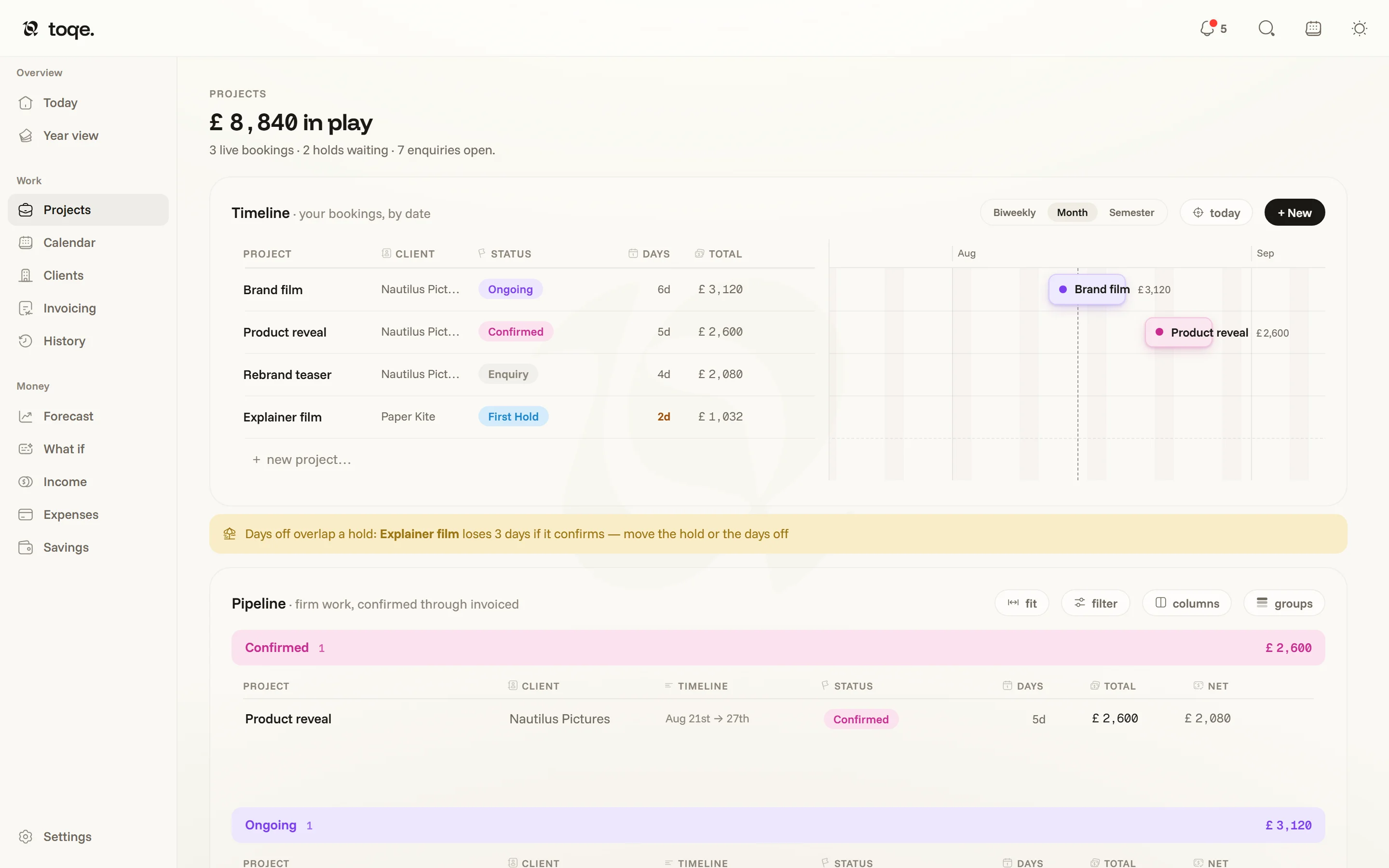
The masthead sums what’s in play — the firm bookings, less anything already paid on them, so a deposit that has landed stops being counted as money still out there — with holds and open enquiries counted in the line beneath.
The project card
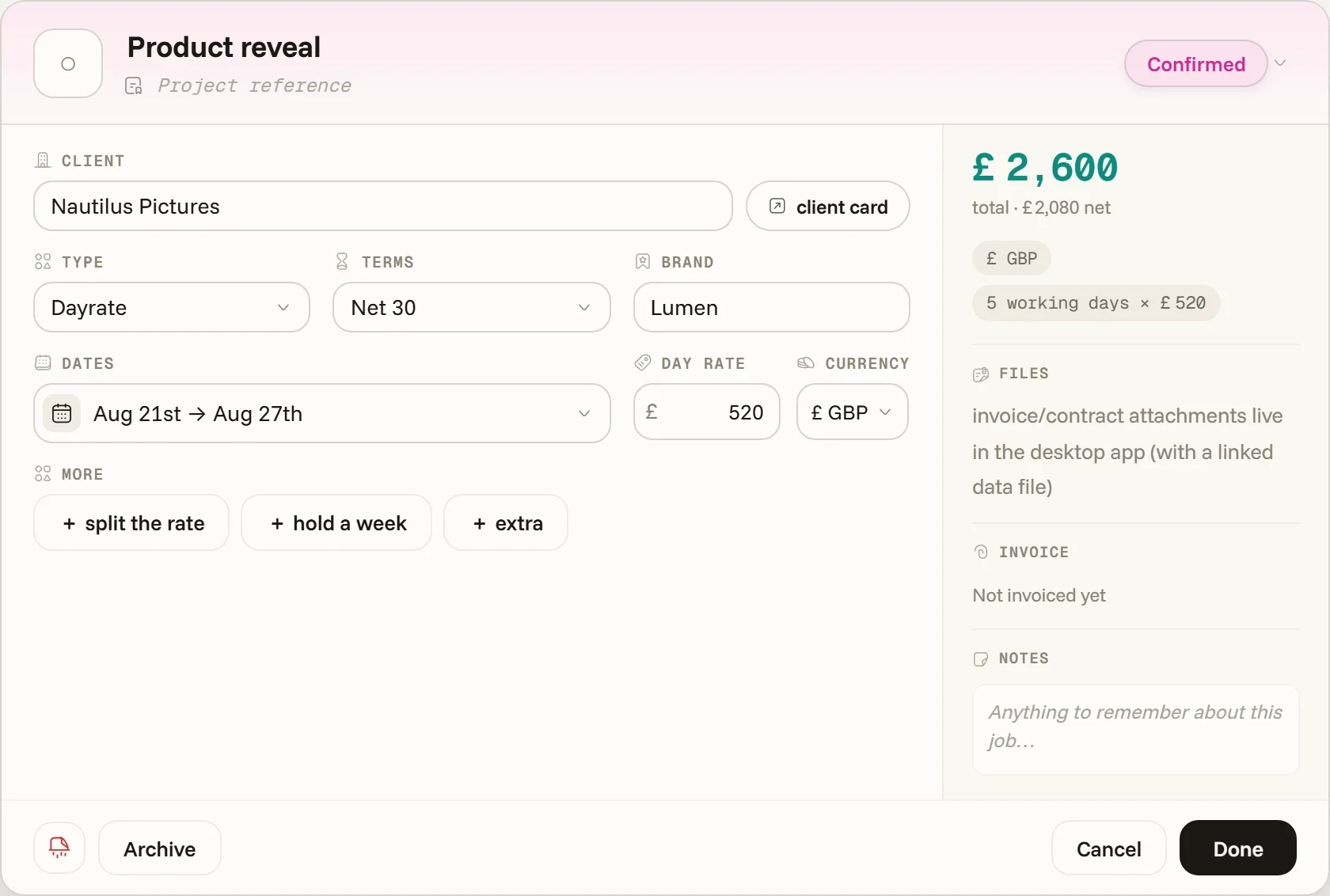
Click any row and the card opens, washed in the project’s status colour, with the status picker and the Invoicing pill side by side in its head. It holds the client (with a jump to their client card), how it’s priced (day rate, flat fee or hourly), payment terms, the painted dates, rate and currency — and, under More: split the rate (different rates for different stretches of the same job), hold a week (a pencilled extension the client is deciding on), and extras — out-of-line items like rentals or assets, each with an optional cost to you, which toqe books as a business cost and files in Expenses’ one-time log as a rebilled pass-through.
When something bends the day count, the card says so in words — “3½ billed days · from 5 weekdays in the span and 1 weekend day worked” — so the fee is never a mystery number. Edits land live; Cancel or Escape restores the card to how it opened, Done keeps.
A settled fee is a record, not a draft: once a project is Complete — or carries a paid on date of its own — painting a day off over it doesn’t re-price it, and the surfaces that explain fees say so when it matters.