Docs
Income
What came in, what’s still on its way, and who it came from.
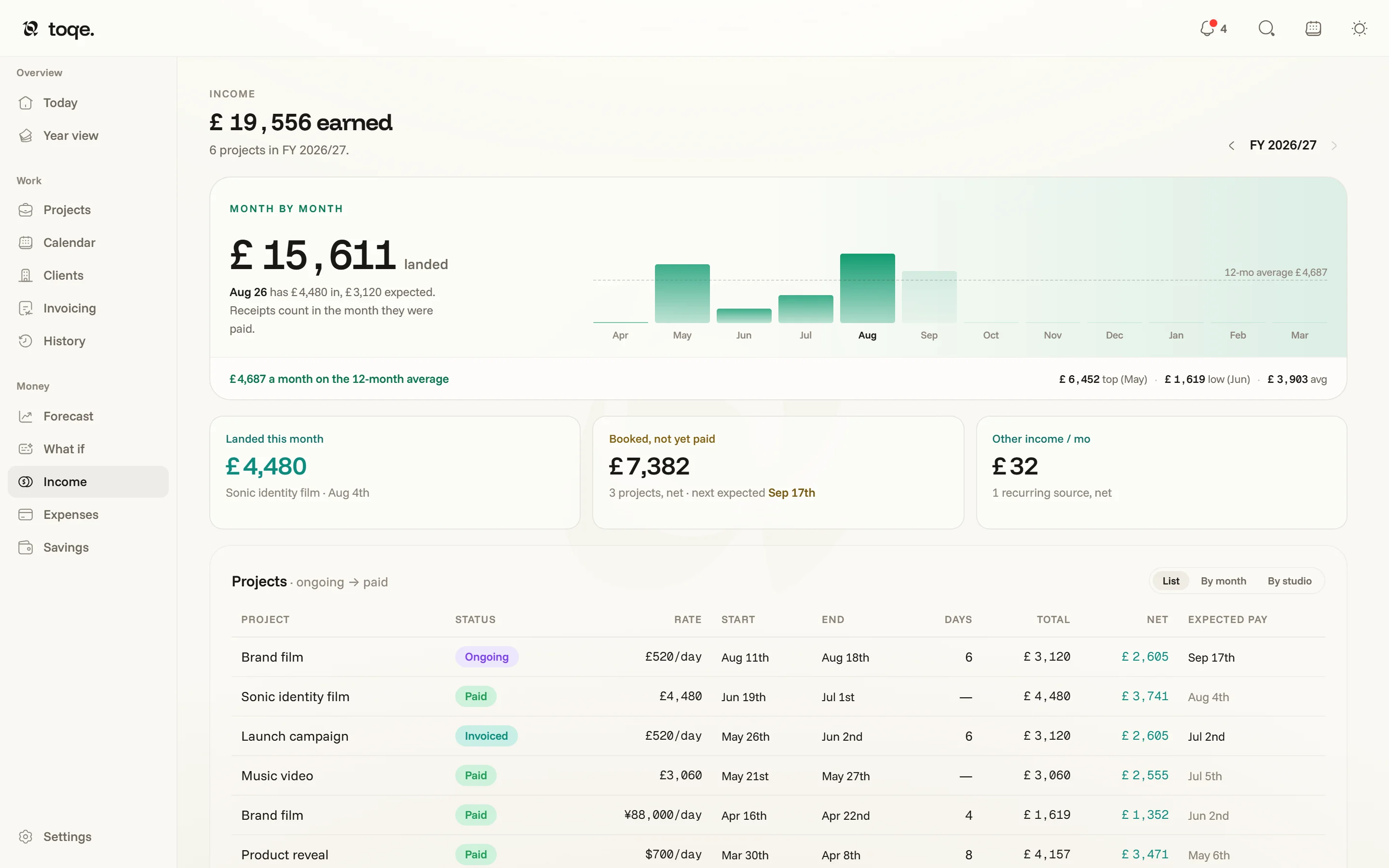
Landed means landed
Income counts receipts in the month they were paid — not when the work happened, not when the invoice went out. That’s the reading that matches your bank account, and it’s why a busy month can read quiet (its invoices land next month) and a quiet one rich. The headline is what has landed in the fiscal year, with how that compares to the same point last year and, if you set one on the Year view, how far along the year’s goal it is. The stepper in the corner scopes the whole page to another year.
Month by month
The strip runs the fiscal year against your 12-month average; months still ahead show booked work, dashed, at its expected pay date. Four cards sit under it: Landed this month (with anything more expected by its pay date), Last payment, Booked, unpaid (live projects’ net still to come, and how many are past their date) and Other income / mo. Last payment and Booked, unpaid are doors to Invoicing, which is where a date is corrected and an overdue invoice is chased.
Receipts
The ledger lists every payment that landed in the year — the day it landed, the project with its emoji, the client with their icon, the invoice, then gross, the tax set aside from it and net, what’s yours, which is the number the runway actually runs on. The chip in its corner switches between grouping by month and one long list. Under it, Other income holds recurring sources that aren’t project work — a Patreon, a retainer, royalties — each with its own tax rate, burned into the forecast like everything else.
The summary on the right splits the year two ways: landed against still expected, and by client. The Totals / Percent switch at its head follows you to the same summaries on Expenses and Taxes.
Income and History agree by construction — both read the same day sums, the same day-off deductions, the same settled fees.