Docs
Expenses
Everything that leaves: the bills you know, the spending you estimate, and the one-offs.
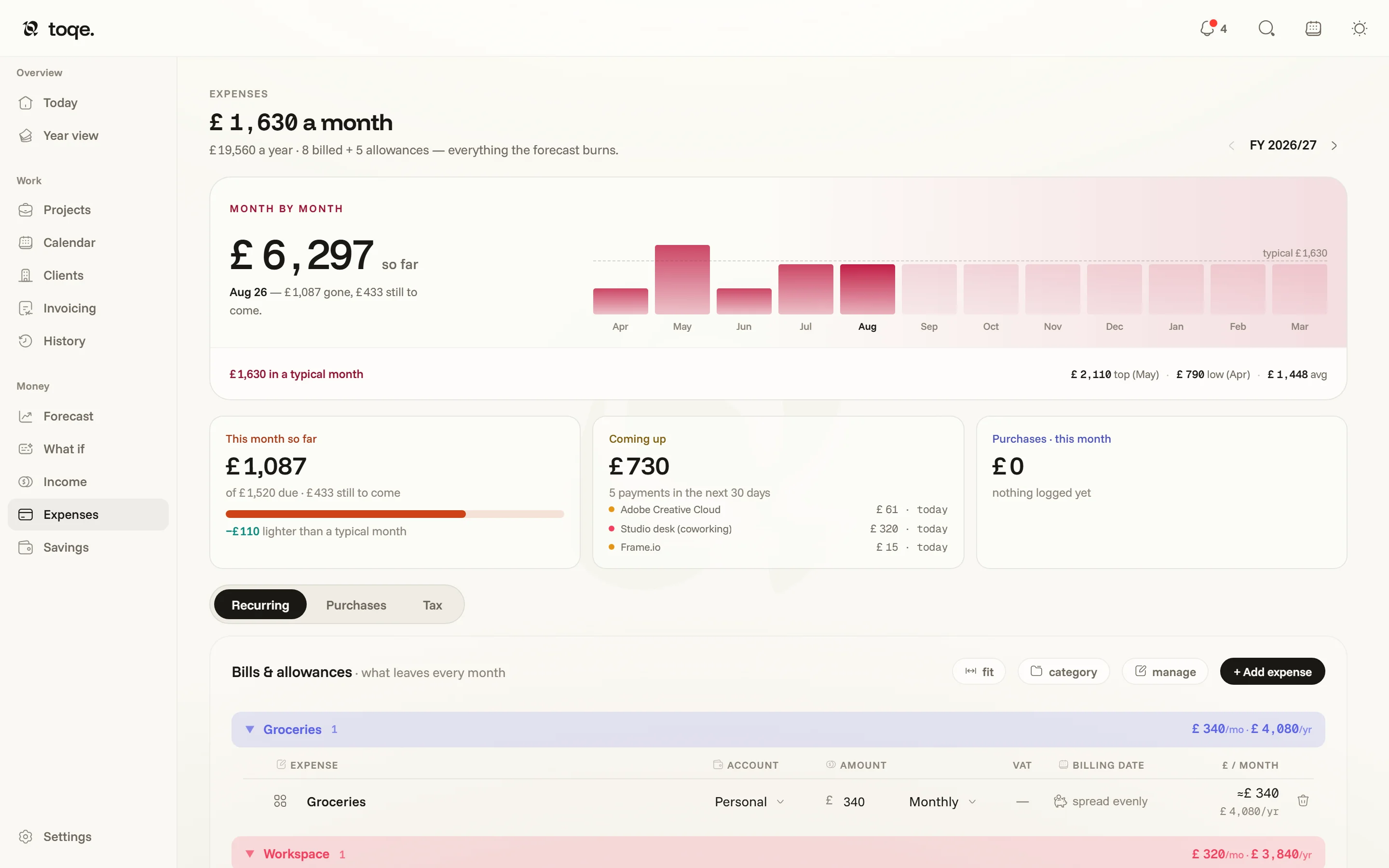
The month, and the year
The headline is a typical month — the whole burn, bills and allowances together — with how this month is tracking against it and the year’s total beside. The strip under it runs the fiscal year month by month against that typical line, and four cards read now: This month so far, what’s Still to come before the month ends, the Next 30 days of payments, and One-time this month. The stepper in the corner steps the strip and the one-time log to another year together.
Bills and allowances
A cost is one of two kinds. A bill is real and dated — £320 desk rent on the 1st — and lands on its date in the forecast. An allowance is a rate you estimate — “about £340 a month on groceries” — and spreads evenly, so £340/mo and £4,080/yr are the same allowance said two ways. The tiny piggy bank () beside a bill’s date turns it into an allowance; an allowance’s “spread evenly” is the way back. Every burn surface — the forecast, the month cards, the VAT estimate — reads both kinds correctly by construction.
The recurring table
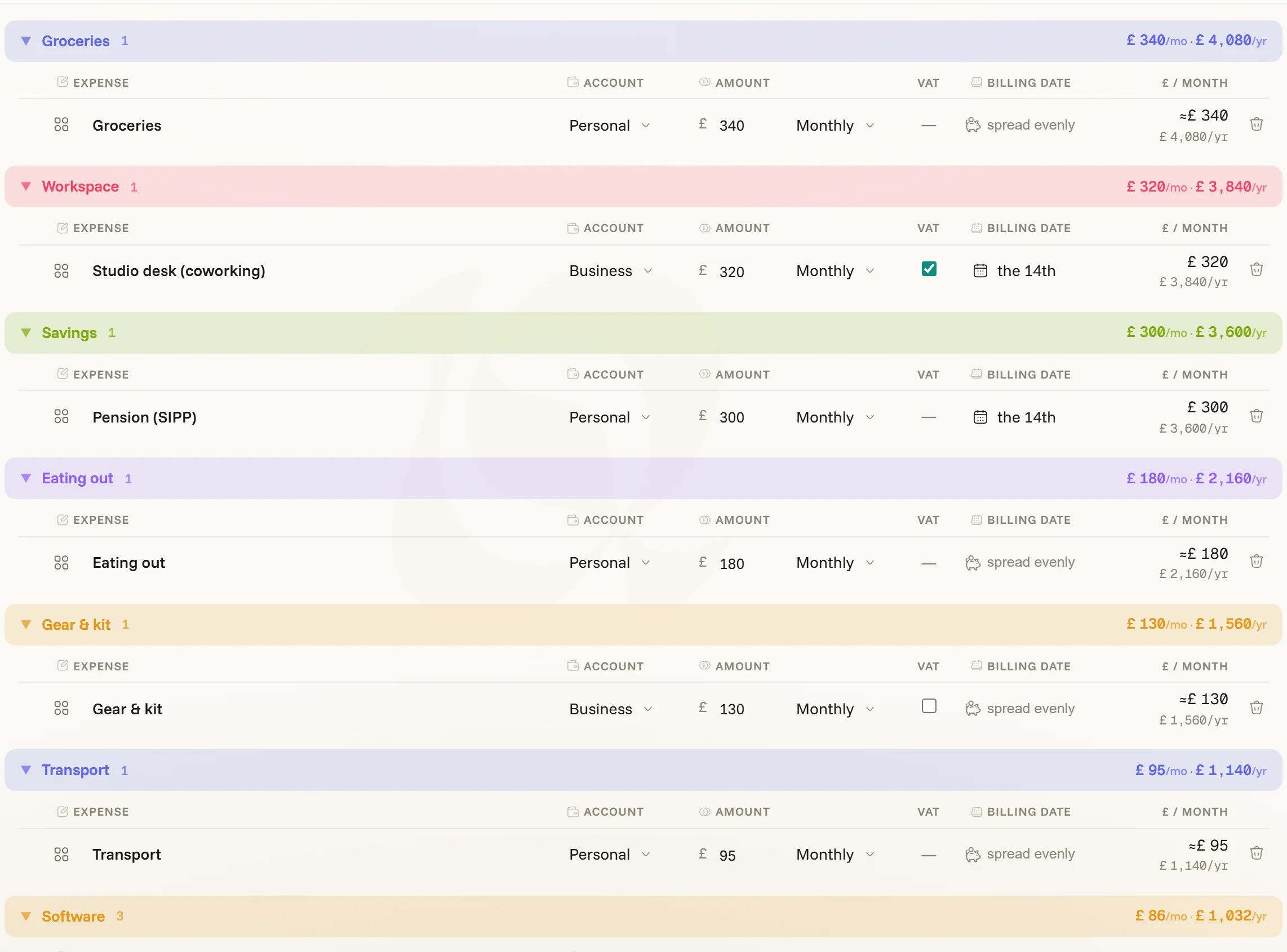
Grouped by category or by account — the chip on the panel head cycles between them — each band summing its /mo and /yr. Rows carry their category, account (Personal or Business — Business costs also count against profit for the tax estimate), amount and cadence, VAT (allowances opt in), and the billing date, written the way you’d say it — monthly bills as “the 12th”, longer cadences by their next occurrence. manage renames, recolours, merges and deletes categories; + Add expense adds a row.
Two dates keep the past honest. When it started: a new bill counts from its billing date on, so one you’ve paid for years would leave the year’s earlier months empty — hover its date and the small clock sets the day it began, and the months back to it carry it. When it stopped: hover a row and a tick at its start asks Renewing? Untick it and the bill leaves the forecast from today, but notes the day — the months before still count it, so last year’s spending doesn’t shrink. The date shows under the bill and can be changed. New allowances start the day you add them.
One-time purchases
Under the recurring table, the One-time log is for spending that happens once — gear, software, a course. The ghost row at its top logs one in a few keystrokes and remembers your last category and account; the log bands by months, quarters or the year (the quarters follow your tax year), filters, and exports the fiscal year as CSV, receipts included. Costs you incur for a project (a rental you’ll rebill) don’t belong here by hand — give the project’s extra a cost on its card, and it files itself here as a rebilled row, books in the forecast, and reclaims its VAT.
The summary on the right splits the burn by category and by account.
Tax payments never belong in Expenses — the forecast already holds tax back, so a tax bill filed as spending would count twice. toqe nudges if an added expense is named like one; the Taxes page has its own log.